Fire TV Experience
A TV-optimized Home screen built for Amazon Fire TV, with easy navigation using your remote control.

Your Favorite Content, Streamlined for Fire TV
A dedicated Fire TV client to securely browse your personal YouTube library — read-only and private
TuneTube is a dedicated client application built for Fire TV devices. It allows users to securely connect their Google account using the standard Google Device Authorization Flow. Once authenticated, TuneTube provides a clean, TV-optimized interface to search for videos and view your personal YouTube library—including playlists, subscriptions, and liked videos—in a seamless, read-only format directly on your television.
TuneTube only requests read-only permissions to display your content on your TV. We do not edit, upload, or delete your data, and we never share your personal information.
Link your device
XGRT-8821) and instruct you to visit google.com/device.
You will be taken to Google's official device pairing page at google.com/device.
App preview
TuneTube is built for Amazon Fire TV — splash screen, sign-in, then Home: the main screen where users browse and play all their YouTube content.
App launch screen with TuneTube branding when users open the app on Fire TV.
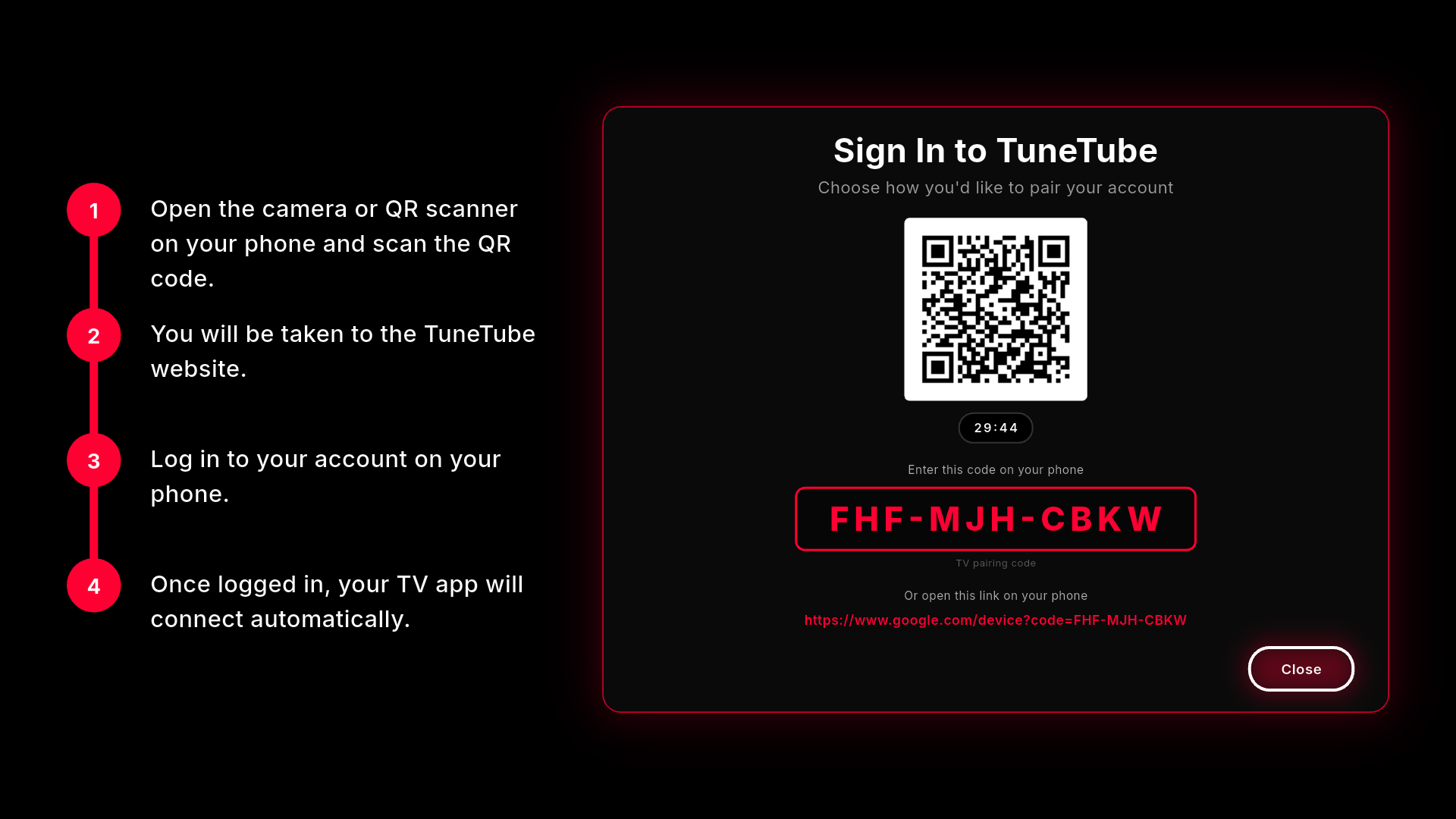
Users scan a QR code or enter a TV pairing code at google.com/device to link their Google account.
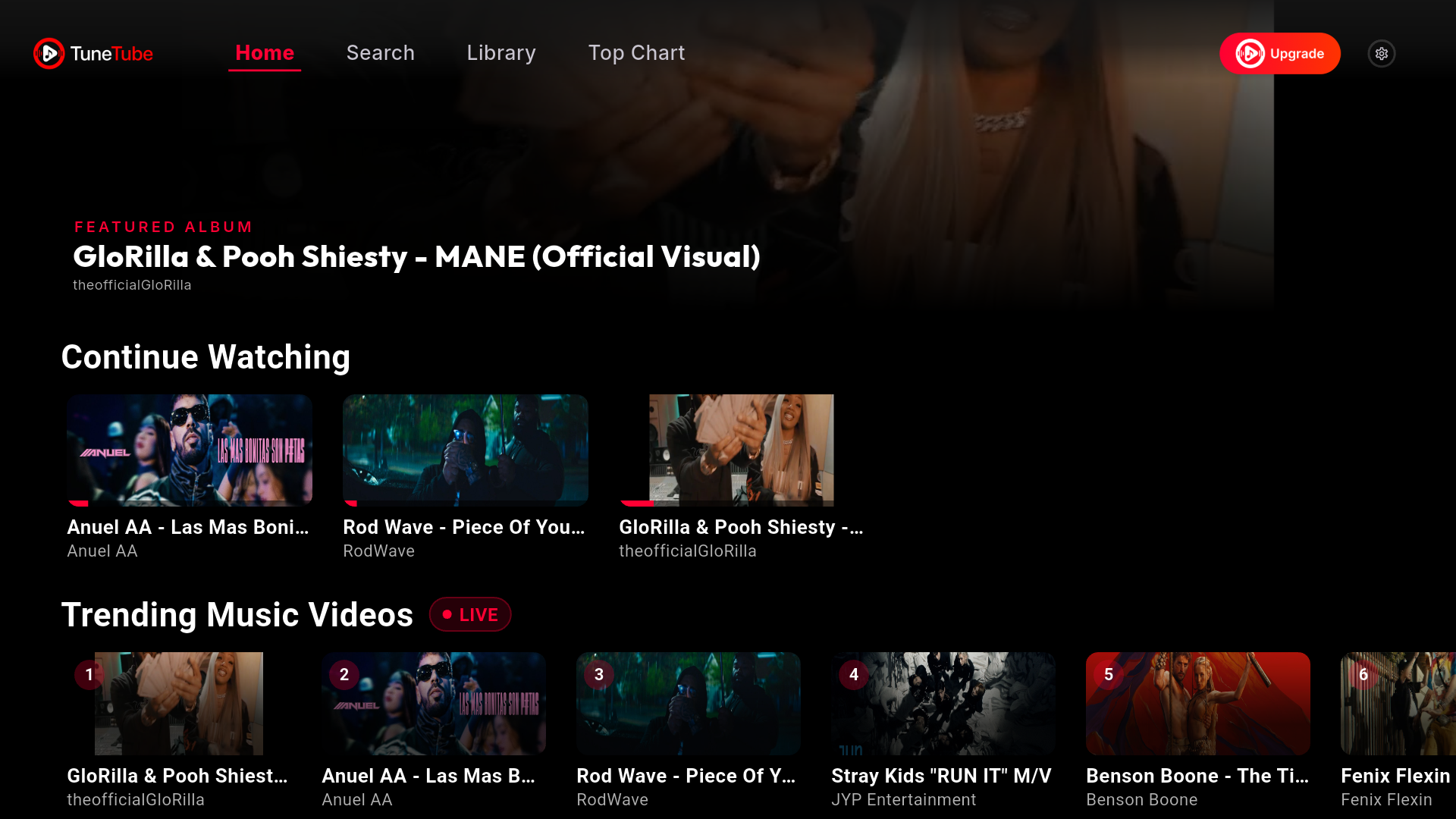
After login, users land on Home. Browse featured videos, continue watching, trending content, playlists, and channels — and play videos directly from one screen.
OAuth demonstration
This video shows the full TuneTube sign-in flow on Amazon Fire TV: device pairing at google.com/device, the Google consent screen with requested scopes (including youtube.readonly), and YouTube content loading on the Home screen after login.
Fire TV device login, Google account authorization, consent screen scopes, and read-only YouTube browsing on the Home screen. Email and profile are used for authentication only and are not displayed in the TV app.
What we offer
TuneTube connects your Google account to bring your YouTube content to Fire TV. Everything lives on the Home screen — browse and play with your remote.
A TV-optimized Home screen built for Amazon Fire TV, with easy navigation using your remote control.
After sign-in, users land on Home and can play YouTube videos, playlists, and channel content directly from one main screen.
Sign in safely on your phone or computer using Google's secure device authorization — no typing passwords on your TV remote.
Getting started
Download TuneTube from the Amazon Appstore on your Fire TV device.
Open TuneTube, tap Sign In, and note the activation code displayed on your TV.
Go to google.com/device, enter your TV code, and authorize your account.
You're taken to Home, the main screen. Browse and play your YouTube videos, playlists, and channels.
Need help?
Have a question, issue, or feedback about TuneTube? We're here to help.
Email us at support.tunetube@gmail.com